๐Ÿ’ฌ
Aidova
by CHEWAIDยฎ
Talking Therapies โ€” To Say It Your Way
๐Ÿ”’ KIOSK MODE โ€” Carer PIN required to exit
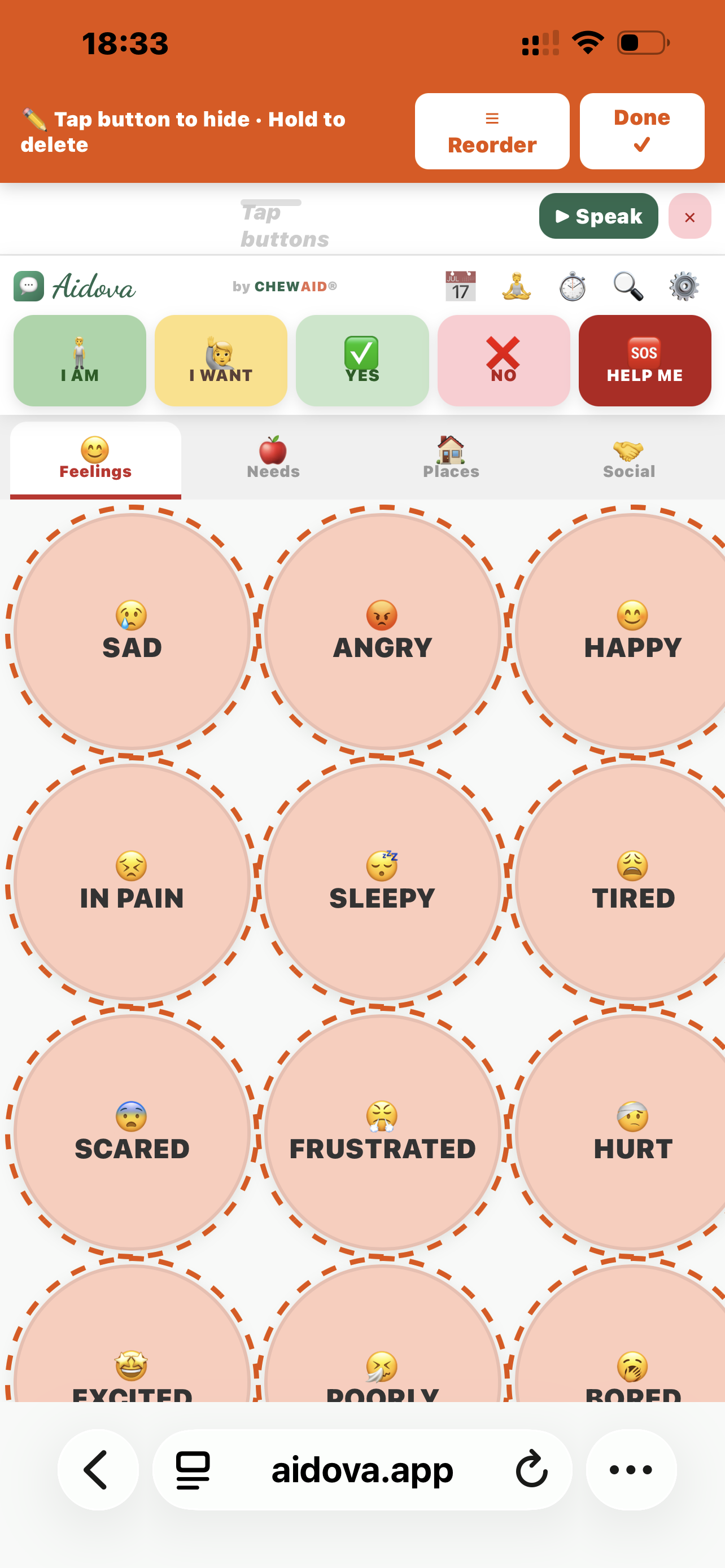
โœ๏ธ Tap button to hide ยท Hold to delete
Tap buttons to build a sentence...
by CHEWAIDยฎ
๐Ÿ‘ Hidden buttons (0)โ–ถ
๐Ÿ“… Today's Schedule
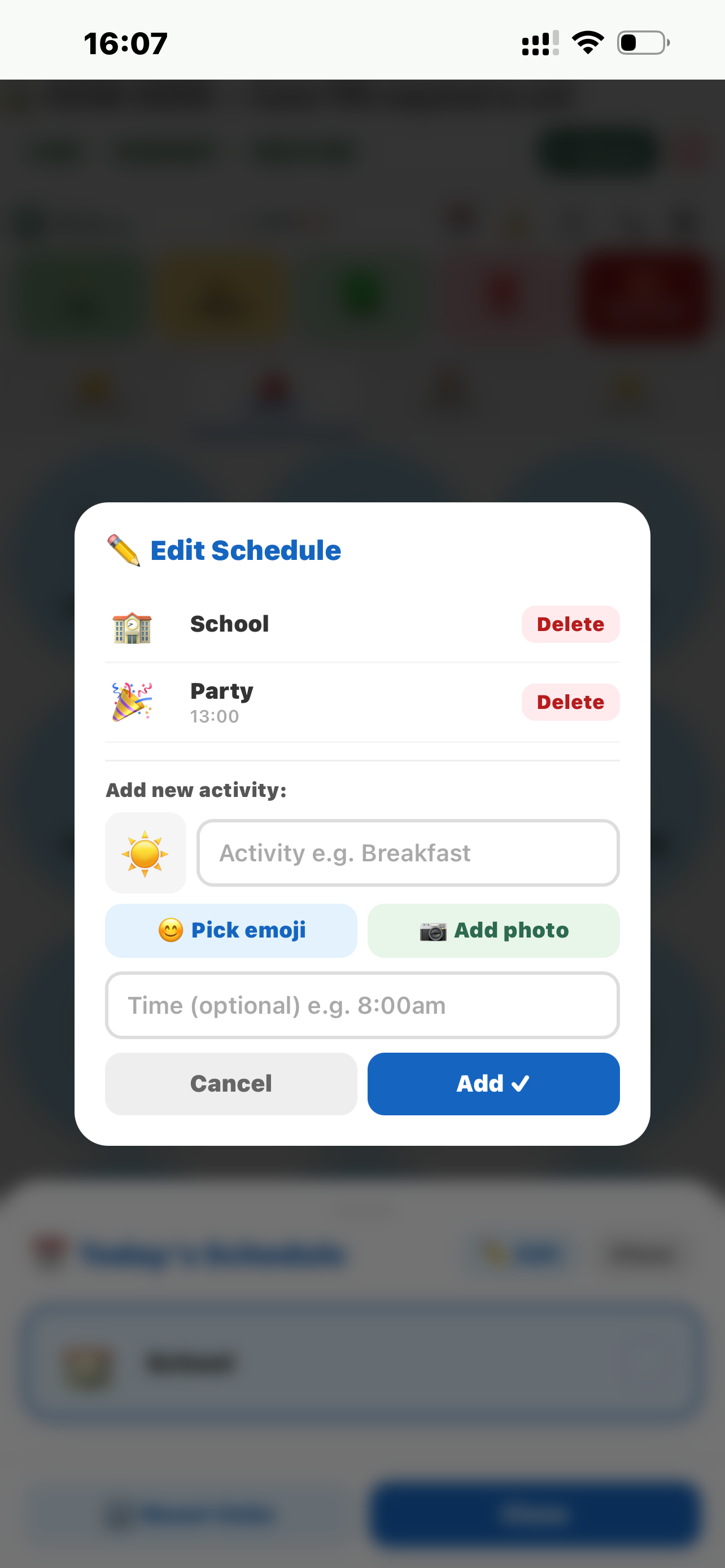
โœ๏ธ Edit Schedule
Add new activity:
โ˜€๏ธ
Pick an emoji
๐Ÿง˜ Calm Breathing
Follow the circle โ€” breathe with it
๐ŸŒฌ๏ธ
Tap Start to begin
Cycles: 0
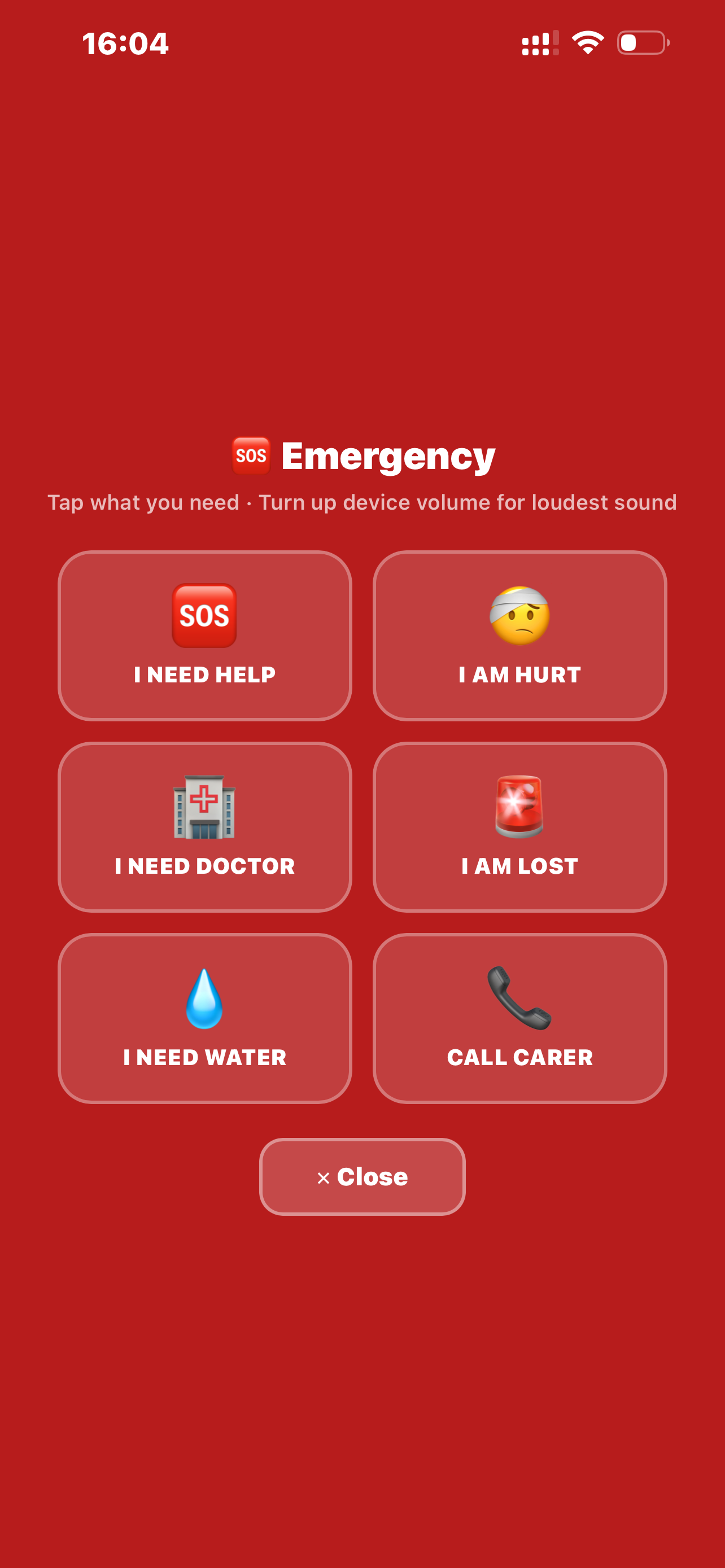
๐Ÿ†˜ Emergency
Tap what you need ยท Turn up device volume for loudest sound
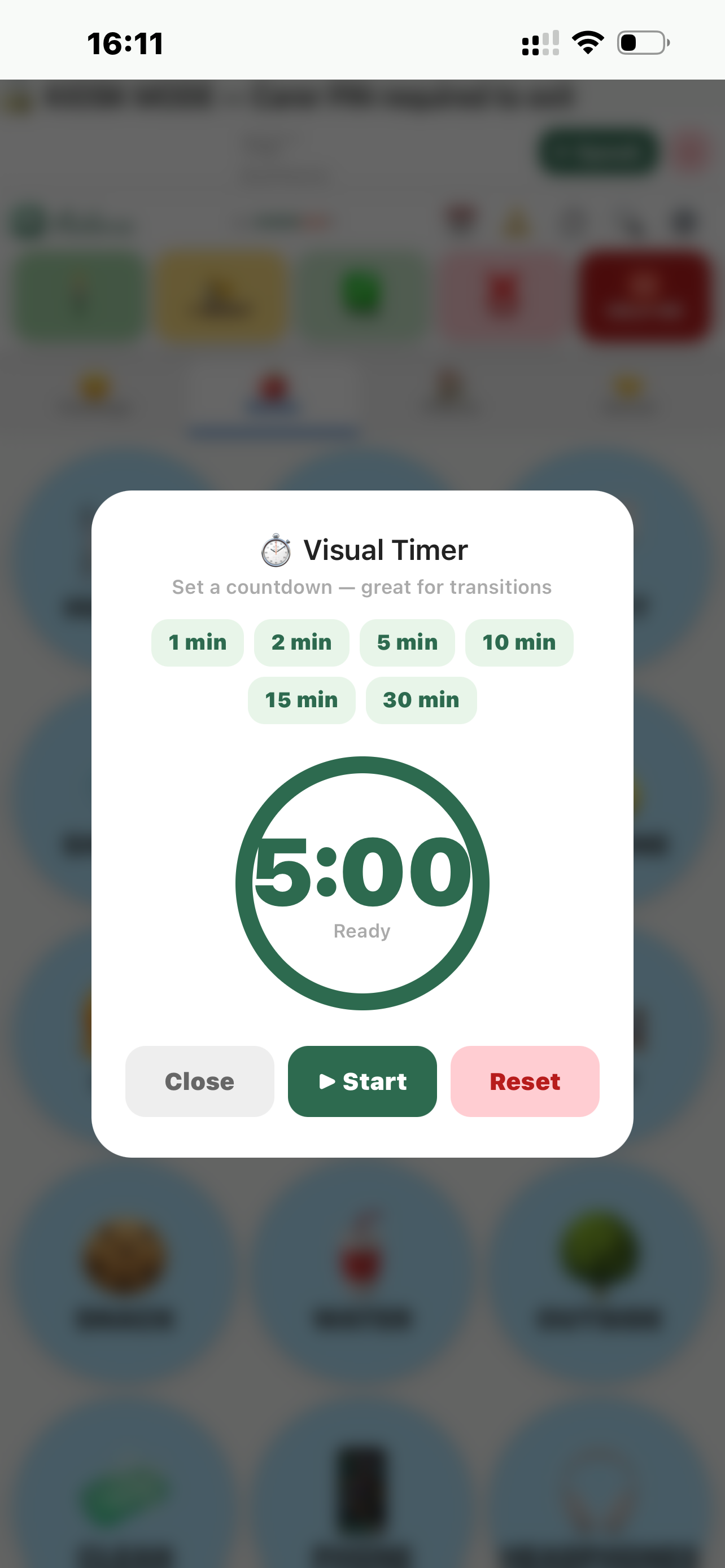
โฑ๏ธ Visual Timer
Set a countdown โ€” great for transitions
5:00
Ready
๐Ÿ” Find a button

โ“ Aidova Quick Guide

๐Ÿ“‹ What's included?
๐Ÿ†“ Always FREE
99 built-in buttons ยท Sentence builder ยท ๐Ÿ†˜ HELP ME + Emergency screen ยท Search ยท Dark mode ยท Adult mode ยท High contrast ยท Button size ยท Volume ยท Breathing tool ยท Visual timer ยท Male/Female voice ยท 1 profile
โญ PREMIUM โ€” ยฃ3.99/mo or ยฃ29.99/yr
29 custom buttons per category ยท Photo upload ยท Voice recording (any language) ยท Visual schedule ยท 2 profiles ยท Carer lock ยท Kiosk mode ยท Customise top buttons ยท Button colours
๐ŸŒŸ PREMIUM PLUS โ€” ยฃ7.99/mo or ยฃ59.99/yr
54 custom buttons per category ยท Reorder & hide buttons ยท Unlimited profiles ยท Everything in Premium
๐Ÿ“ง Buy or get a code: aidovaapp@gmail.com
๐Ÿ’ฌ How the app works
Tap any button โ€” the app speaks the word out loud. Build sentences by tapping multiple buttons โ€” the green bar at the top builds up your words. Tap โ–ถ Speak to say the full sentence. Tap โœ• to clear.
๐Ÿ” The 5 top buttons FREE
๐Ÿง I AM โ€” how I'm feeling right now
๐Ÿ™‹ I WANT โ€” something I need or want
โœ… YES โ€” agree
โŒ NO โ€” disagree or refuse
๐Ÿ†˜ HELP ME โ€” see Emergency section below
๐Ÿ†˜ HELP ME button FREE
Quick tap โ†’ speaks "I need help" loudly + screen flashes red
Hold 2 seconds โ†’ opens the full red Emergency Screen

Emergency screen has 6 big buttons:
๐Ÿ†˜ I Need Help ยท ๐Ÿค• I Am Hurt ยท ๐Ÿฅ I Need Doctor
๐Ÿšจ I Am Lost ยท ๐Ÿ’ง I Need Water ยท ๐Ÿ“ž Call My Carer

Call My Carer dials automatically on phones (iPhone & Android).
โš ๏ธ Tablets & iPads: cannot make calls โ€” the number is shown on screen so someone nearby can call.

Set up: Settings โ†’ Emergency Contact โ†’ enter carer's number.
๐Ÿ“‚ 4 categories FREE
Swipe left/right or tap the tabs:
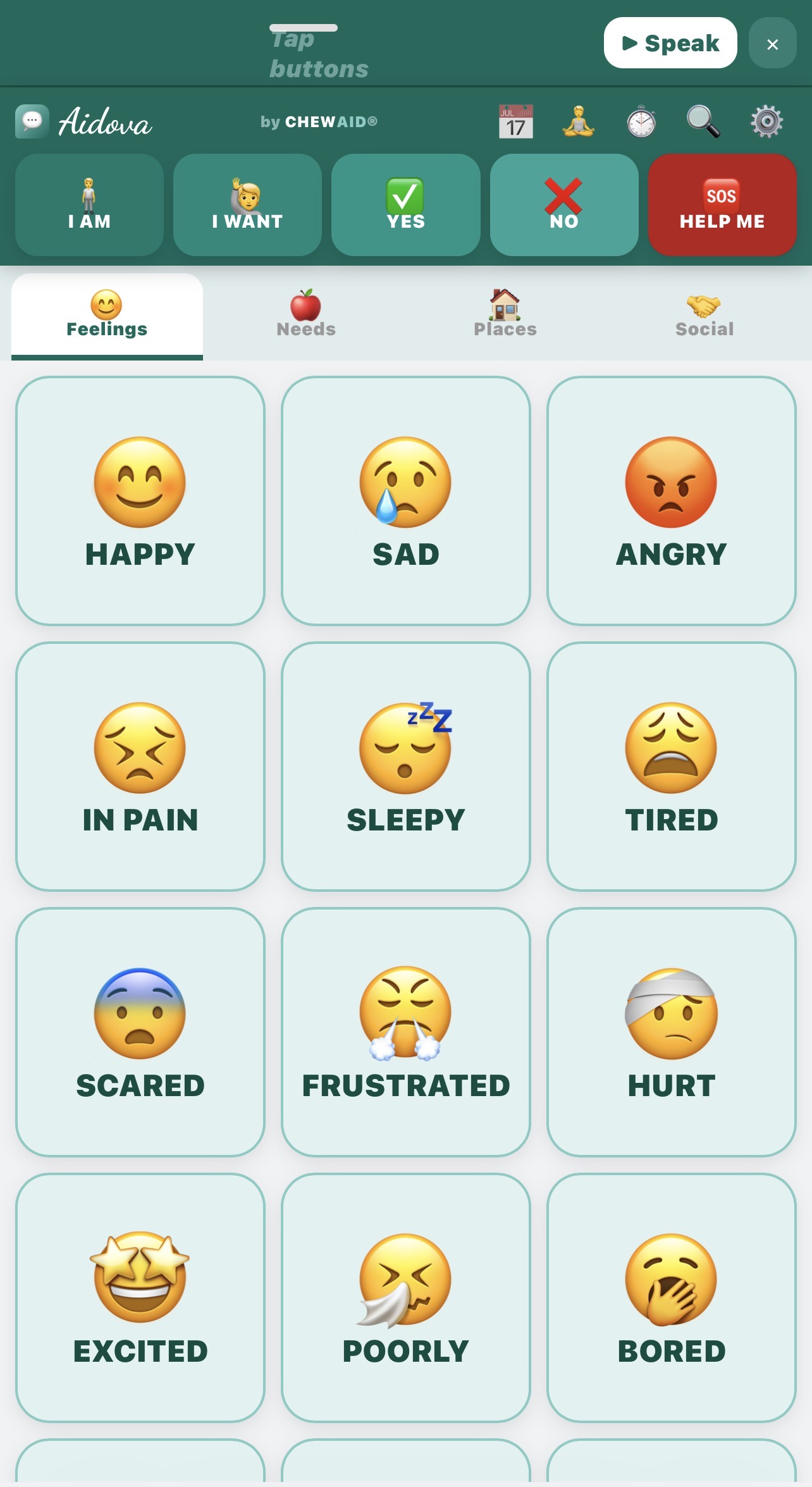
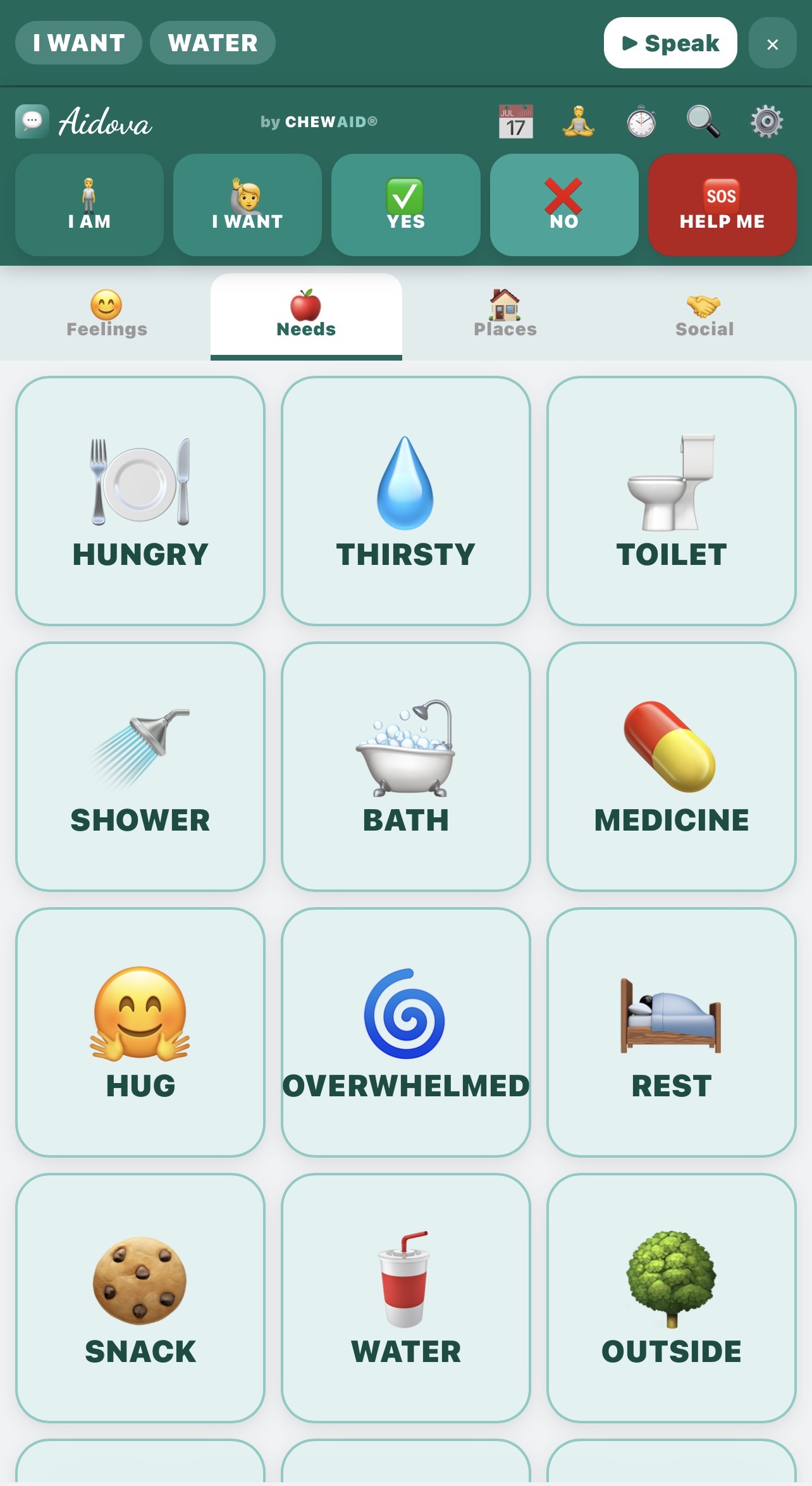
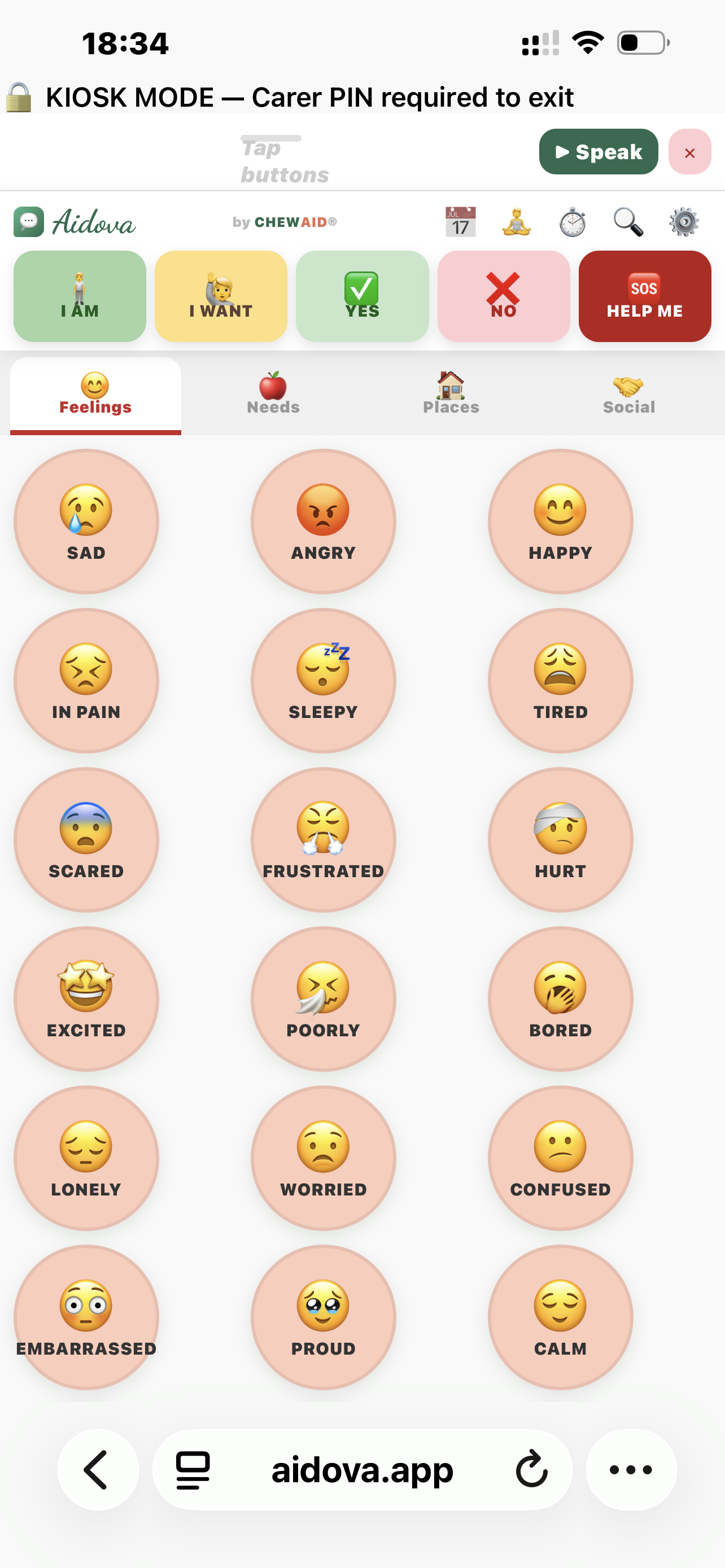
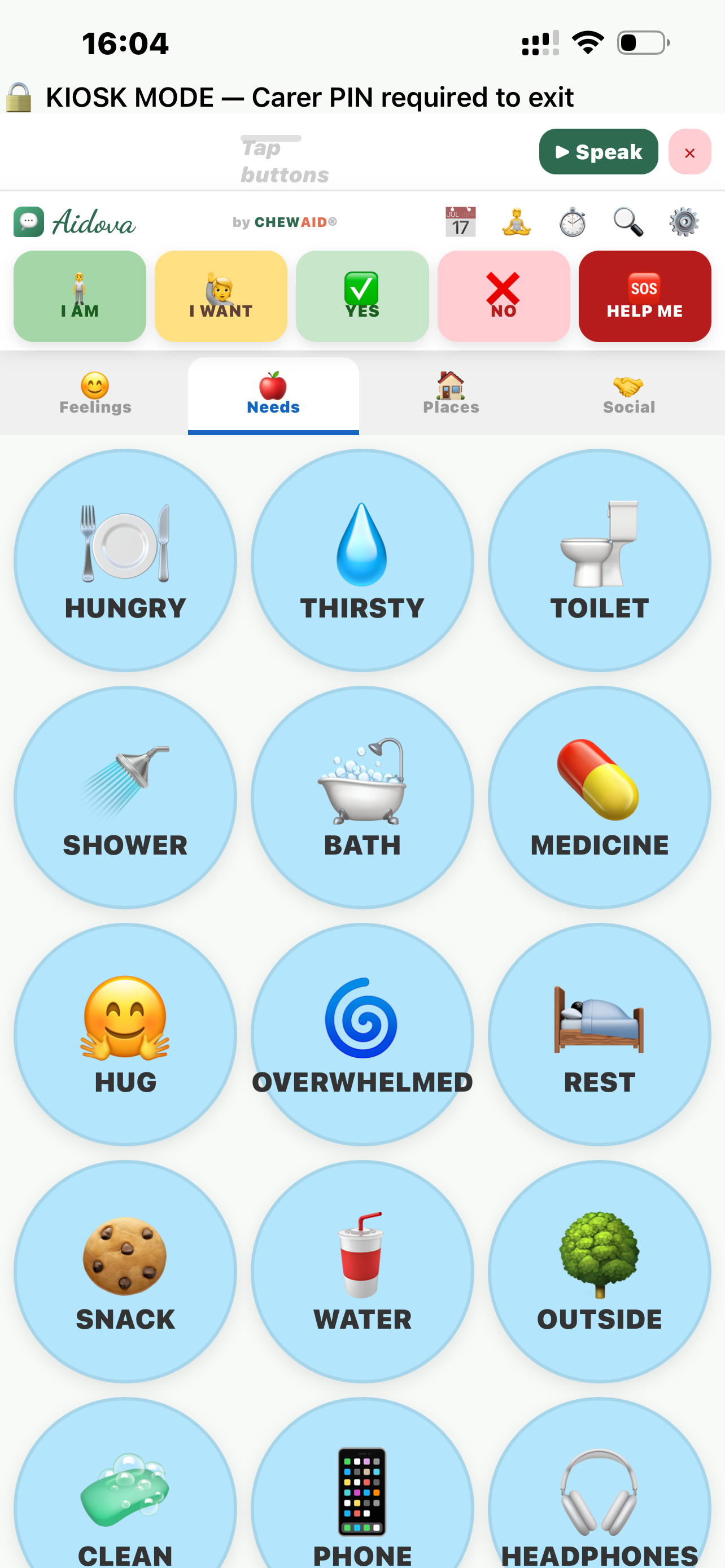
๐Ÿ˜Š Feelings ยท ๐ŸŽ Needs ยท ๐Ÿ  Places ยท ๐Ÿค Social

24โ€“27 built-in buttons per category (99 total). Custom buttons appear right after the built-ins โ€” no gap. Scroll down to see them all.
๐Ÿ” Search FREE
Tap ๐Ÿ” in the top bar. Type any word โ€” results appear instantly from all 99 built-in buttons plus your custom ones. Tap โ–ถ Speak to hear it, or tap the result to jump to that category.
๐Ÿง˜ Calm Breathing FREE
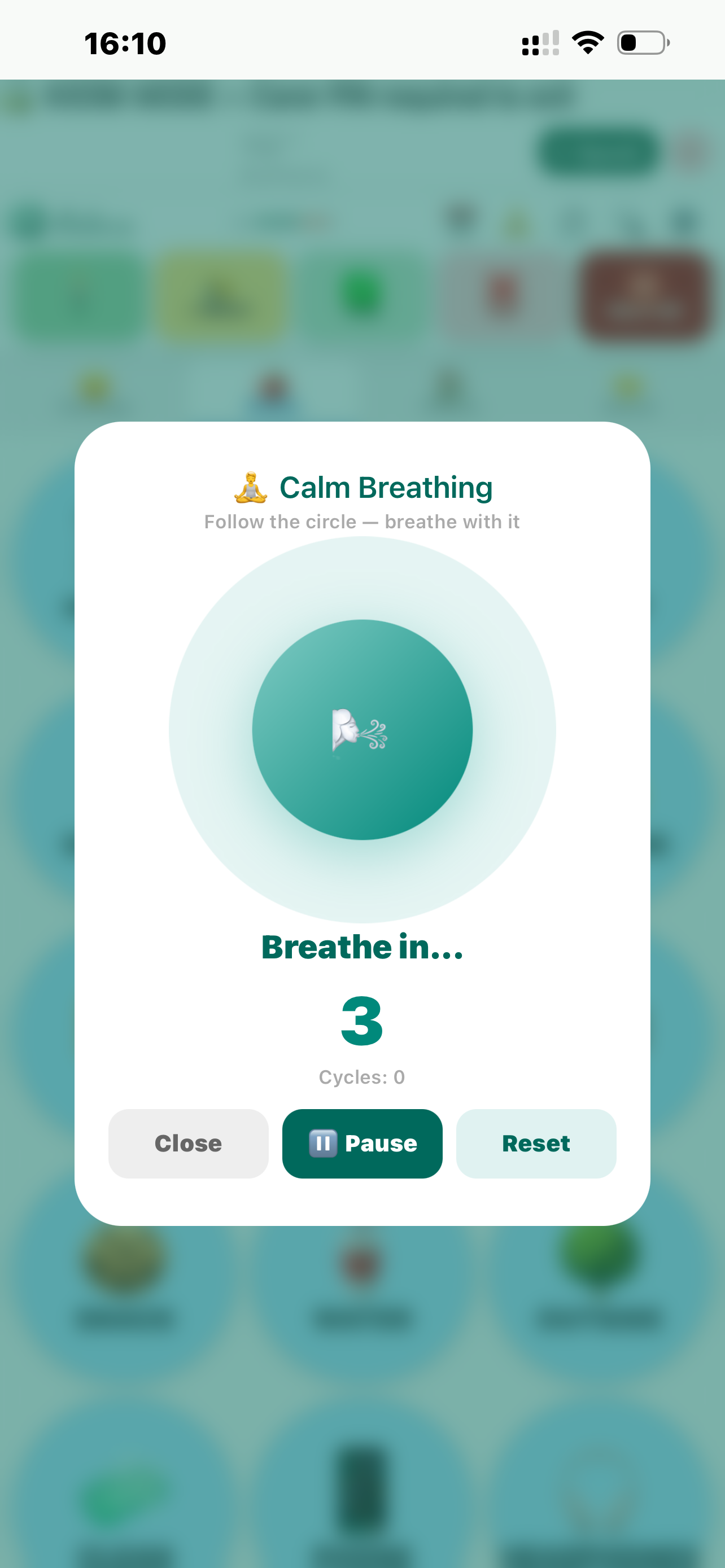
Tap ๐Ÿง˜ in the top bar. A circle expands and shrinks โ€” child follows it to calm down.

Breathe in 4s โ†’ Hold 4s โ†’ Breathe out 6s

Great for anxiety, meltdowns or overwhelm.
โฑ๏ธ Visual Timer FREE
Tap โฑ๏ธ in the top bar. Choose 1โ€“30 minutes. A green ring counts down โ€” turns orange then red as time runs out. Says "Time is up!" when finished.

Great for transitions: "5 more minutes then bath time."
๐Ÿ”Š Voice & Volume FREE
Settings โ†’ Voice โ†’ tap ๐Ÿ‘ฉ Female or ๐Ÿ‘จ Male โ†’ tap โ–ถ Test.

For the clearest voice on iPhone/iPad: Settings โ†’ Accessibility โ†’ Spoken Content โ†’ Voices โ†’ English โ†’ download Serena (female) or Daniel (male).
On Android: Settings โ†’ Accessibility โ†’ Text-to-speech โ†’ install Google Text-to-Speech for best quality.

Also turn up your device volume using the physical buttons on the side of your device.
๐ŸŒ™ Dark mode & Display FREE
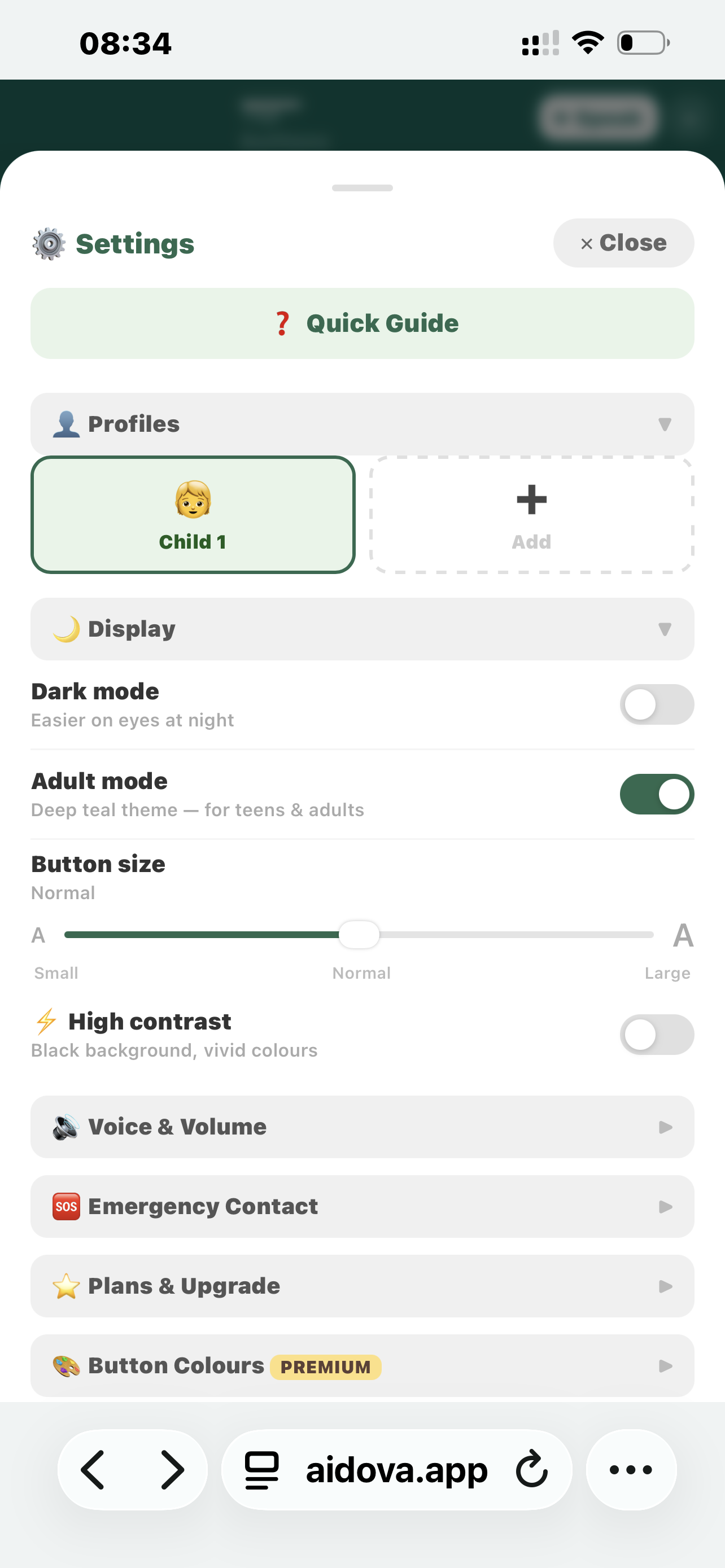
Dark mode โ€” easier on eyes at night or for light-sensitive users.
Adult mode โ€” deep teal theme for teens and adults.
High contrast โ€” black background with vivid borders for maximum visibility.
Button size โ€” Small / Normal / Large. Large mode always shows at least 3 columns โ€” scroll to see all buttons.
๐Ÿ‘ค Profiles FREE โ€” 1 profile
Settings โ†’ Profiles. Each profile has its own custom buttons and settings.

Free: 1 profile
Premium: 2 profiles
Premium Plus: unlimited profiles

Great for families where more than one child uses the same device.
โญ Custom buttons PREMIUM
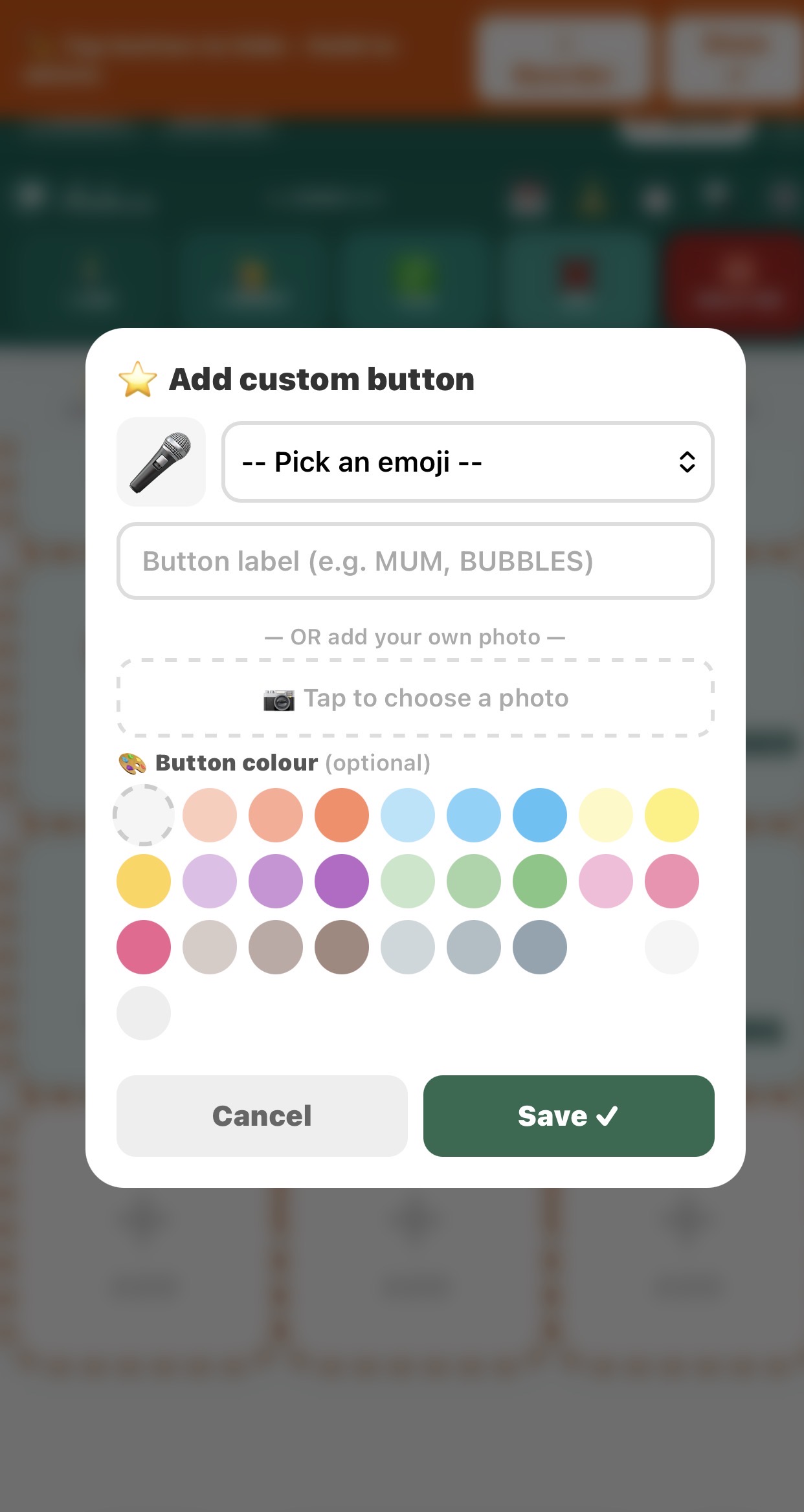
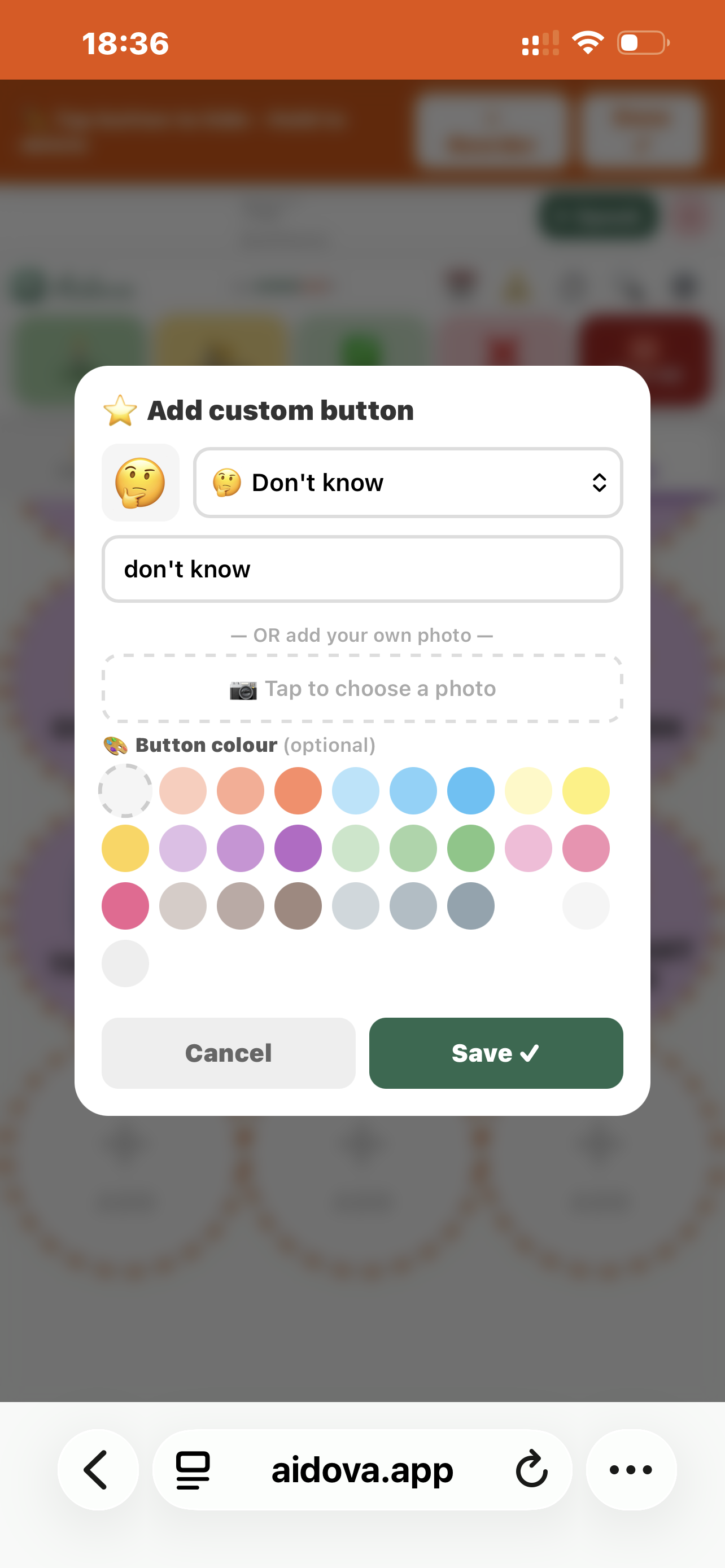
In edit mode, tap any + ADD slot โ†’ pick an emoji or upload a photo โ†’ type the label โ†’ choose a colour โ†’ Save โœ“.

Custom buttons appear seamlessly after built-ins โ€” no gap, no new row.

Premium: 29 custom slots per category
Premium Plus: 54 custom slots per category
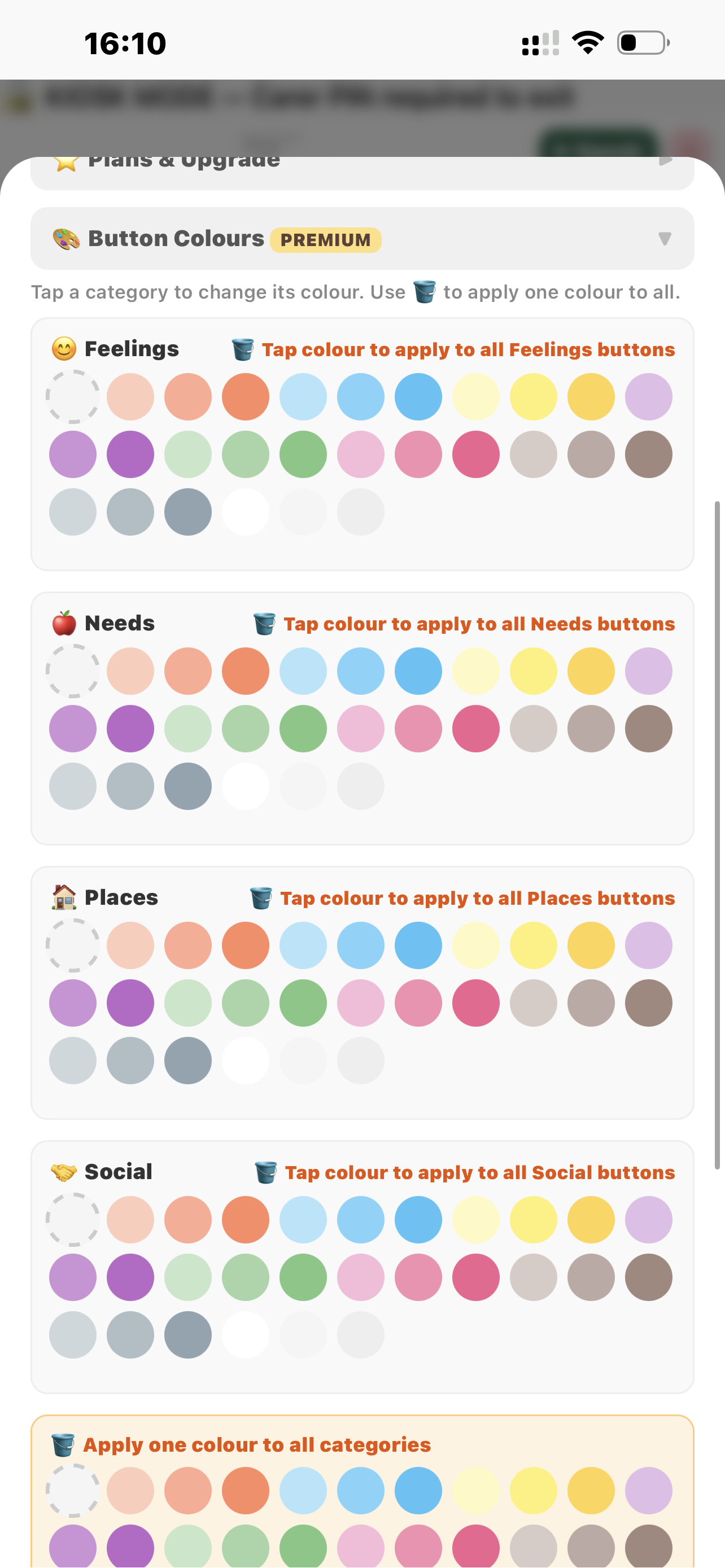
๐ŸŽจ Button colours PREMIUM
Three ways to change colours:

1. Single button โ€” pick a colour swatch when adding or editing a custom button.
2. Whole category โ€” Settings โ†’ Display โ†’ Button Colours โ†’ pick a colour under any category.
3. All at once โ€” same section โ†’ ๐Ÿชฃ Apply one colour to all โ†’ one tap changes everything.

Tap โ†บ Reset to restore the original pastel colours.
๐ŸŒ Customise buttons & phrases PREMIUM
Settings โ†’ Customise โ†’ Edit top buttons.

Change the label and spoken phrase for the 5 top buttons and all 6 emergency phrases โ€” in any language.

Example: I AM โ†’ เคฎเฅˆเค‚ เคนเฅ‚เค ยท I WANT โ†’ เคฎเฅเคเฅ‡ เคšเคพเคนเคฟเค ยท HELP ME โ†’ ู…ุฏุฏ ฺฉุฑูˆ
๐Ÿ“… Visual Schedule PREMIUM
Tap ๐Ÿ“… in the top bar. PIN protected โ€” only carers can edit.

To set up: tap โœ๏ธ Edit โ†’ pick emoji or photo โ†’ type activity โ†’ add time โ†’ tap Add โœ“.

Daily use: child taps each card to tick it off โœ“ (turns green). Next activity highlighted in blue. Tap Reset ticks each morning.

Helps reduce anxiety around transitions.
๐ŸŽ™๏ธ Voice recording PREMIUM
Record your own voice for any button in any language.

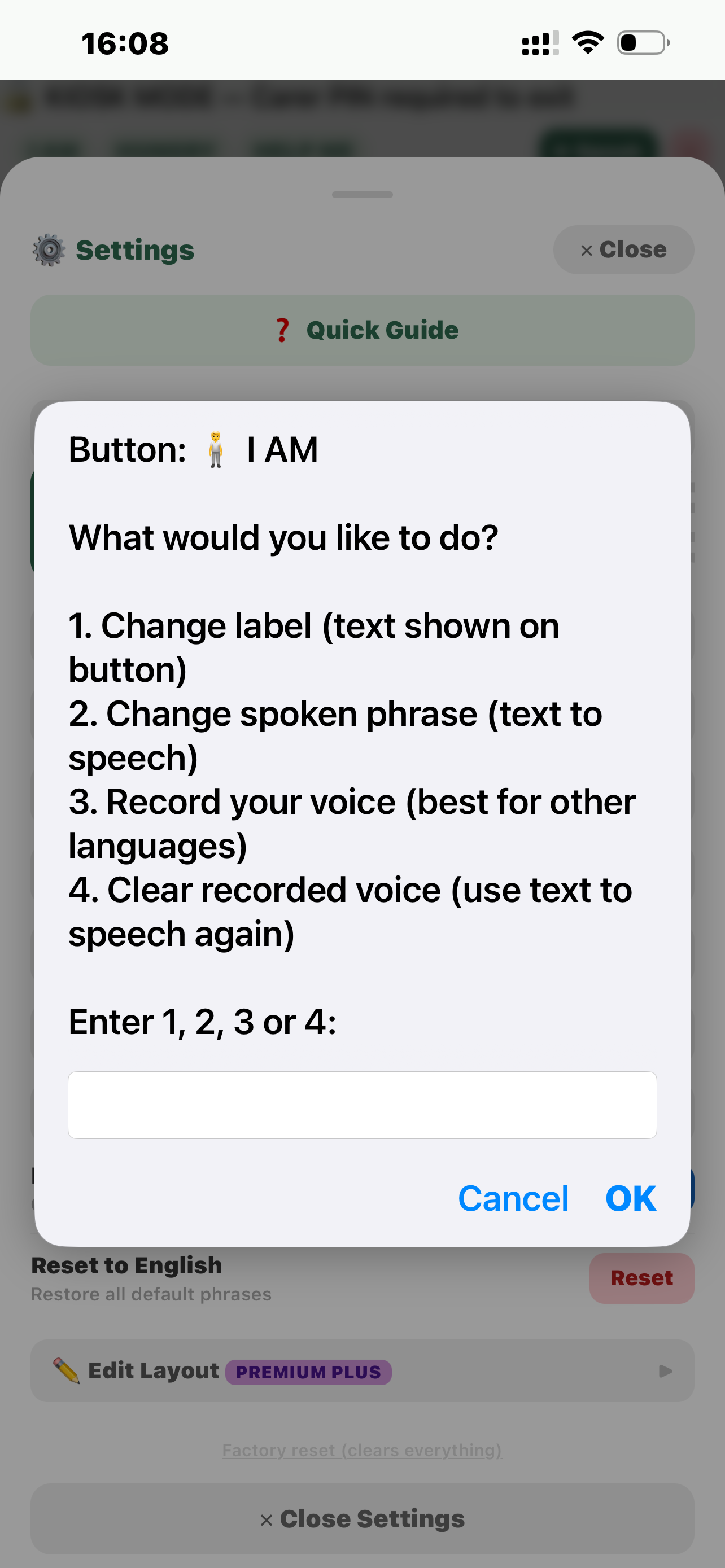
Custom buttons: Edit mode โ†’ tap the button โ†’ select Record voice
Built-in buttons: Edit mode โ†’ hold button 1 second โ†’ tap Cancel on delete prompt โ†’ voice record opens

Tap ๐ŸŽ™๏ธ, speak clearly (max 3 seconds), tap โ–ถ Preview then Save โœ“.
๐Ÿ”’ Carer lock & Kiosk mode PREMIUM
Carer lock: Settings โ†’ Lock with PIN โ†’ set a 4-digit PIN. Child cannot access settings while locked.

Kiosk mode: fullscreen, back button disabled โ€” child cannot leave the app. PIN required to exit.

Forgot PIN? Enter wrong PIN twice โ†’ tap Forgot PIN โ†’ type CHEWAIDRESET. Or tap the Aidova logo 7 times.
โœ๏ธ Edit layout & Premium Plus PREMIUM PLUS
Everything in Premium, plus:

Unlimited profiles โ€” no limit on how many children can use the app.

Reorder buttons: tap โ˜ฐ Reorder โ†’ drag the โ˜ฐ handle up or down โ†’ Save โœ“.
Hide a button: tap it once in edit mode โ†’ moves to Hidden section. Tap โ†ฉ to restore.
Delete permanently: hold any button 1 second โ†’ confirm.
Custom buttons: tap in edit mode โ†’ choose Record voice ยท Edit ยท Hide ยท Delete.

Tap Done โœ“ when finished. All changes saved automatically.
๐Ÿ“ง Contact & Support
Email: aidovaapp@gmail.com
TikTok & Instagram: @aidovaapp
Website: aidova.app
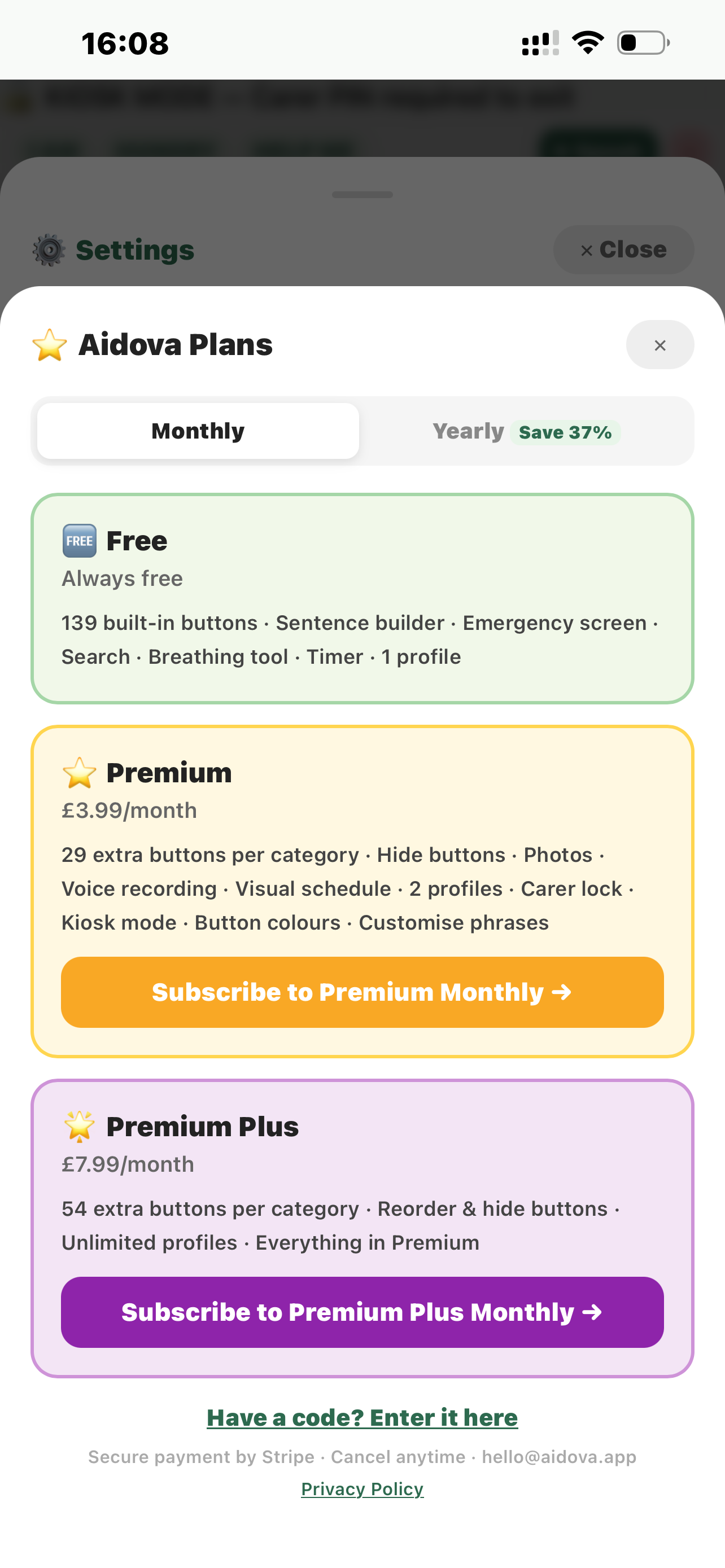
โญ Aidova Plans
๐Ÿ†“ Free
Always free
99 built-in buttons ยท Sentence builder ยท Emergency screen ยท Search ยท Breathing tool ยท Timer ยท 1 profile
โญ Premium
ยฃ3.99/month
29 custom buttons per category ยท Photos ยท Voice recording ยท Visual schedule ยท 2 profiles ยท Carer lock ยท Kiosk mode ยท Button colours ยท Customise phrases
๐ŸŒŸ Premium Plus
ยฃ7.99/month
54 custom buttons per category ยท Reorder & hide buttons ยท Unlimited profiles ยท Everything in Premium
Secure payment by Stripe ยท Cancel anytime ยท aidovaapp@gmail.com
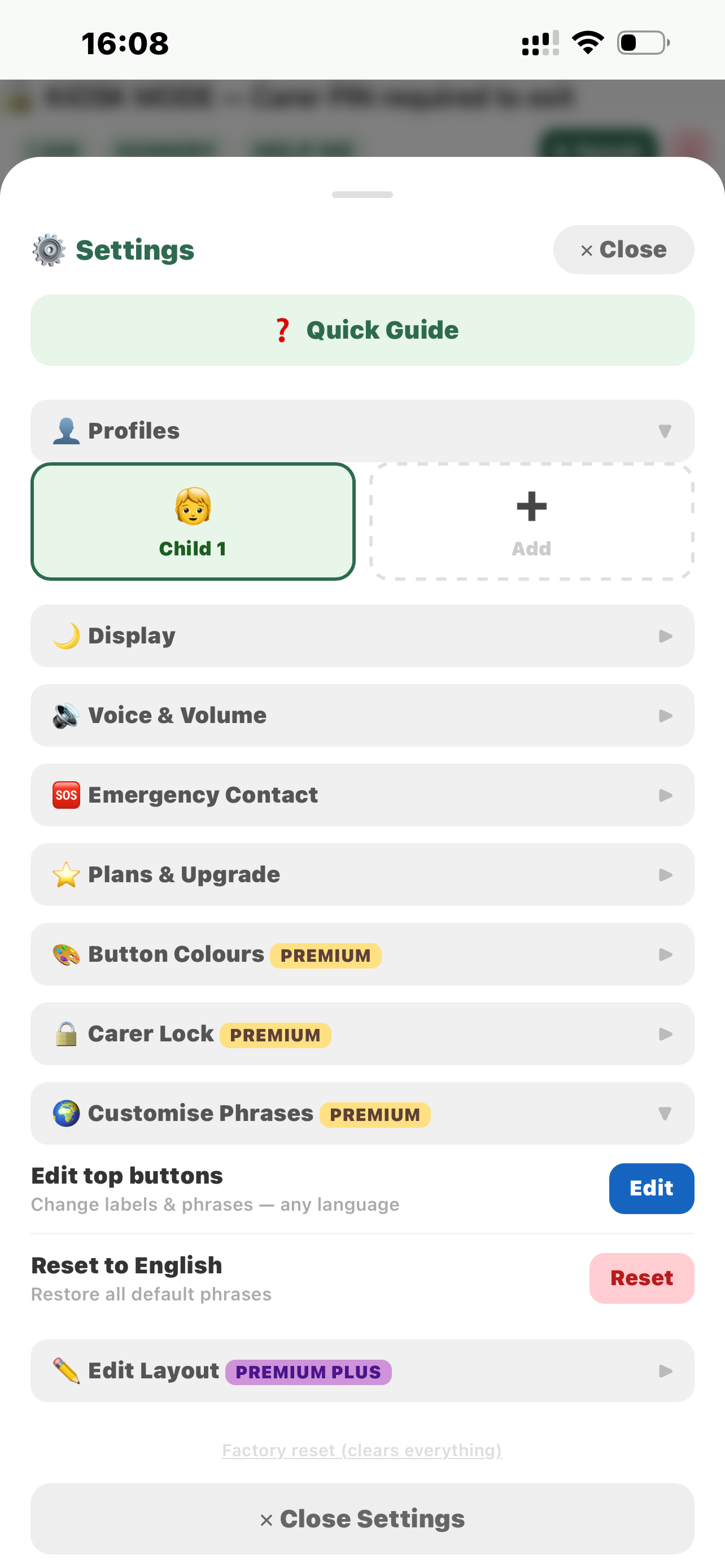
โš™ Settings
๐Ÿ‘ค Profilesโ–ถ
๐ŸŒ™ Displayโ–ถ
Dark mode
Easier on eyes at night
Adult mode
Deep teal theme โ€” for teens & adults
Button size
Normal
A A
SmallNormalLarge
โšก High contrast
Black background, vivid colours
๐Ÿ”Š Voice & Volumeโ–ถ
For best quality on iPhone/iPad: Settings โ†’ Accessibility โ†’ Spoken Content โ†’ Voices โ†’ English โ†’ download Serena or Daniel. On Android: Settings โ†’ Accessibility โ†’ Text-to-speech โ†’ Google TTS.
๐Ÿ”Š Volume
85%
๐Ÿ’ก Use the physical volume buttons on the side of your device for maximum loudness.
๐Ÿ”ˆ ๐Ÿ”Š
๐Ÿ†˜ Emergency Contactโ–ถ
Carer phone number
Hold HELP ME 2s to call carer immediately
โญ Plans & Upgradeโ–ถ
๐Ÿ†“ Free plan
Tap Plans to see what's included
๐ŸŽจ Button Colours PREMIUMโ–ถ
Tap a category to change its colour. Use ๐Ÿชฃ to apply one colour to all.
๐Ÿชฃ Apply one colour to all categories
๐Ÿ”’ Carer Lock PREMIUMโ–ถ
Lock with PIN
Prevents child changing settings
๐Ÿ“บ Kiosk mode
Fullscreen โ€” PIN to exit
๐ŸŒ Customise Phrases PREMIUMโ–ถ
Edit top buttons
Change labels & phrases โ€” any language
Reset to English
Restore all default phrases
โœ๏ธ Edit Layout PREMIUM PLUSโ–ถ
Edit layout
Hide & reorder buttons
Reset layout
Restore all buttons (PIN required)
Aidova by CHEWAIDยฎ ยท aidovaapp@gmail.com
๐Ÿ”’ Carer PIN
Enter your 4-digit PIN

โญ Add custom button

๐ŸŽค
โ€” OR add your own photo โ€”
๐Ÿ“ท Tap to choose a photo
๐ŸŽจ Button colour (optional)

๐ŸŽ™๏ธ Record your voice

HAPPY
Tap โน๏ธ to stop when done ยท Max 3 seconds ยท Allow mic when asked
Tap the mic to start
๐ŸŽ™๏ธ

Reorder Buttons

Hold and drag โ˜ฐ to reorder